> For the complete documentation index, see [llms.txt](https://support.airspacelink.com/llms.txt). Markdown versions of documentation pages are available by appending `.md` to page URLs; this page is available as [Markdown](https://support.airspacelink.com/user-guides/filtering-and-sorting.md).
# Filtering and Sorting
AirHub® Portal provides robust sorting and filtering capabilities to give you more control and a streamlined experience across your drone operations, users, flight logs, and aircraft data.
Table-Level Sorting
Intuitive table-level sorting **i**s available in key sections of AirHub® Portal:
* Work Orders
* Flight Logs
* Users
* Aircraft
To arrange data in ascending or descending order, simply click the sort icon next to applicable table headers.
Table-Level Sorting
### Powerful Filters for Deeper Insights
Filtering capabilities are extensive, allowing you to dive deeper into your data. Many of these filters support multi-selection for highly targeted results.
#### **My Operations** and **Organization Operations** filtering:
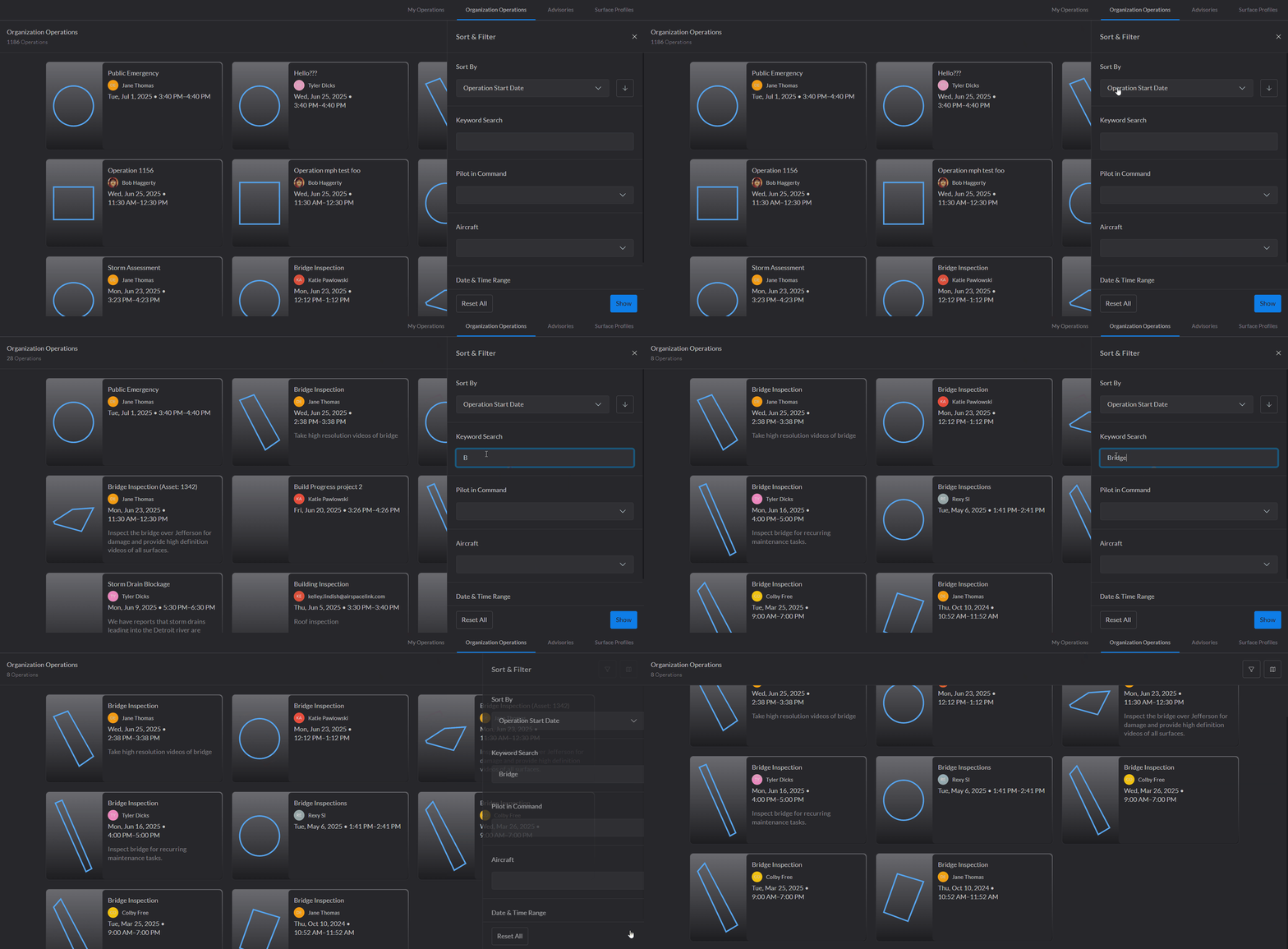
* **Keyword Search:** Dynamically filter operations by specific keywords to quickly locate relevant operation.
Keyword Search
* **Tags: Filter by Tags** (Note: Tags selected within a group will expand the result, whereas tags selected across groups will narrow the result)
* **Pilot in Command:** Filter by one or more assigned RPICs.
* **Aircraft:** Filter by one or more specific aircraft.
* **Date & Time Range:** Filter by a time and date range.
#### **Flight Logs Filtering:**
* **Date & Time Range:** Filter by a time and date range.
* **Remote Pilot in Command (RPIC):** Filter by specific pilot(s).
* **Crew:** Filter by individual crew member(s).
* **Aircraft:** Filter by aircraft(s).
* **Incident Occurred:** Filter by flights with a recorded incident.
Flight Log Filters
#### **Users Filtering:**
* **Certificate Renewal Date:** Filter by certification status
* **User Type:** Filter users by role
User Filters
#### **Aircraft Filtering:**
* **Remote ID Registered:** Filter by registration status
* **Status:** Filter by current operational status
* **Owner:** Filter by aircraft owner(s).
Aircraft Filters
---
# Agent Instructions
This documentation is published with GitBook. GitBook is the documentation platform designed so that both humans and AI agents can read, navigate, and reason over technical content effectively. Learn more at gitbook.com.
## Querying This Documentation
If you need additional information that is not directly available in this page, you can query the documentation dynamically by asking a question.
Perform an HTTP GET request on the current page URL with the `ask` query parameter, and the optional `goal` query parameter:
```
GET https://support.airspacelink.com/user-guides/filtering-and-sorting.md?ask=&goal=
```
`ask` is the immediate question: it should be specific, self-contained, and written in natural language.
`goal` is optional and describes the broader end goal you are ultimately trying to accomplish on behalf of the user. GitBook uses it to tailor the answer towards what is most useful for that goal.
The response will contain a direct answer to the question and relevant excerpts and sources from the documentation.
Use this mechanism when the answer is not explicitly present in the current page, you need clarification or additional context, or you want to retrieve related documentation sections.